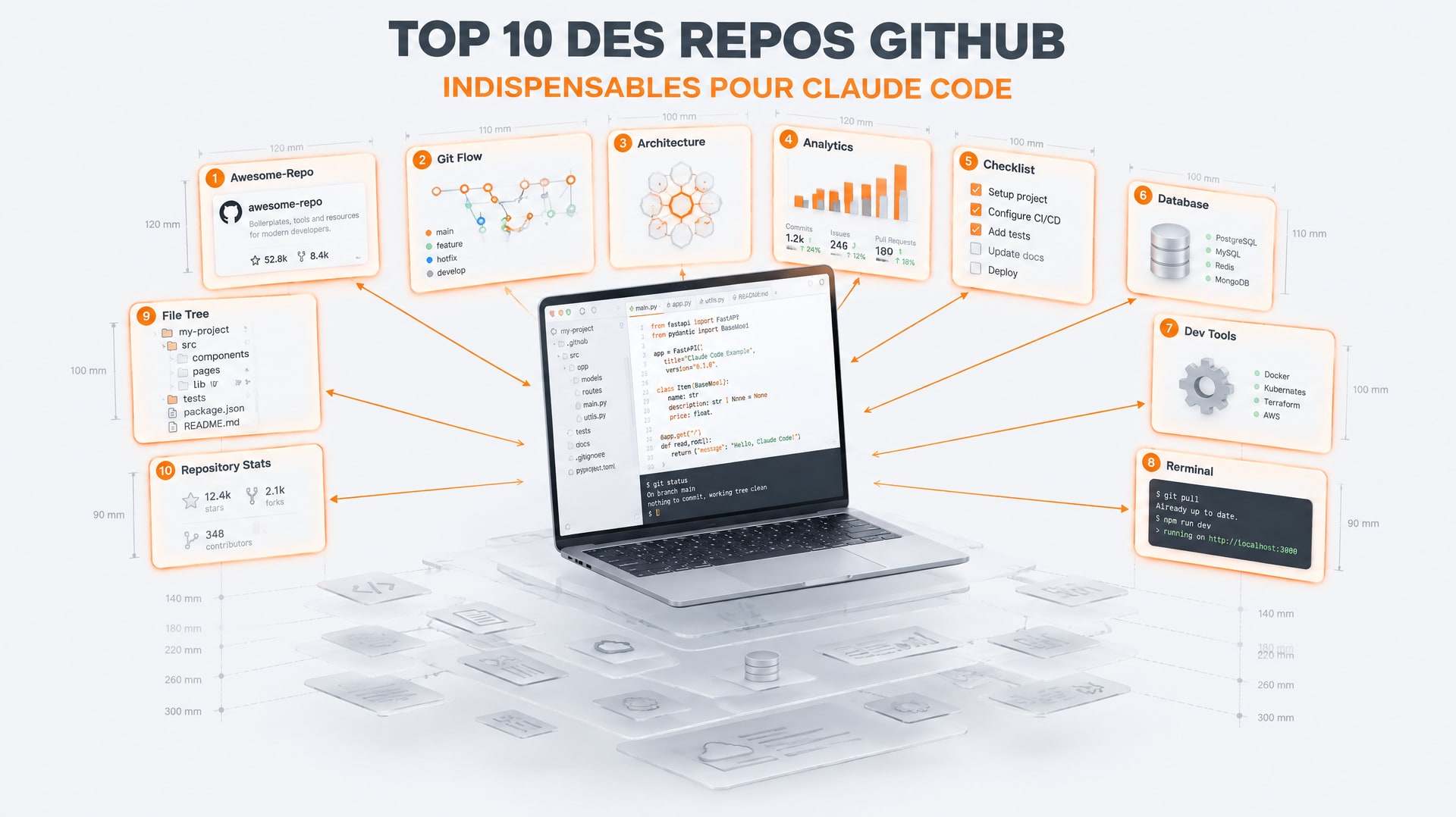
Claude Code Mods: 5 Plugins to Set Up Now

The first mod I installed on Claude Code saved me from paying twice for the same conversation. The second one saved me from leaking a personal email address into a screen-share demo.
Claude Code just shipped mods, and for once this is not a cosmetic feature. They are plugins that change how you see, track and protect your work inside the desktop app.
Here are the five worth installing, how they actually work, and how to set each one up in 30 seconds.
What exactly is a mod
A mod is a plugin. You install it with /plugin, either in the command-line interface or in the desktop app. Under the hood, it is just a small piece of code.
The good news: you can create one in natural language without writing a single line yourself. You open Claude, update it, and say: "I want to build a mod for this, let's go." It builds it.
Mods live in local files. You toggle them on and off with slash commands, like everything else.
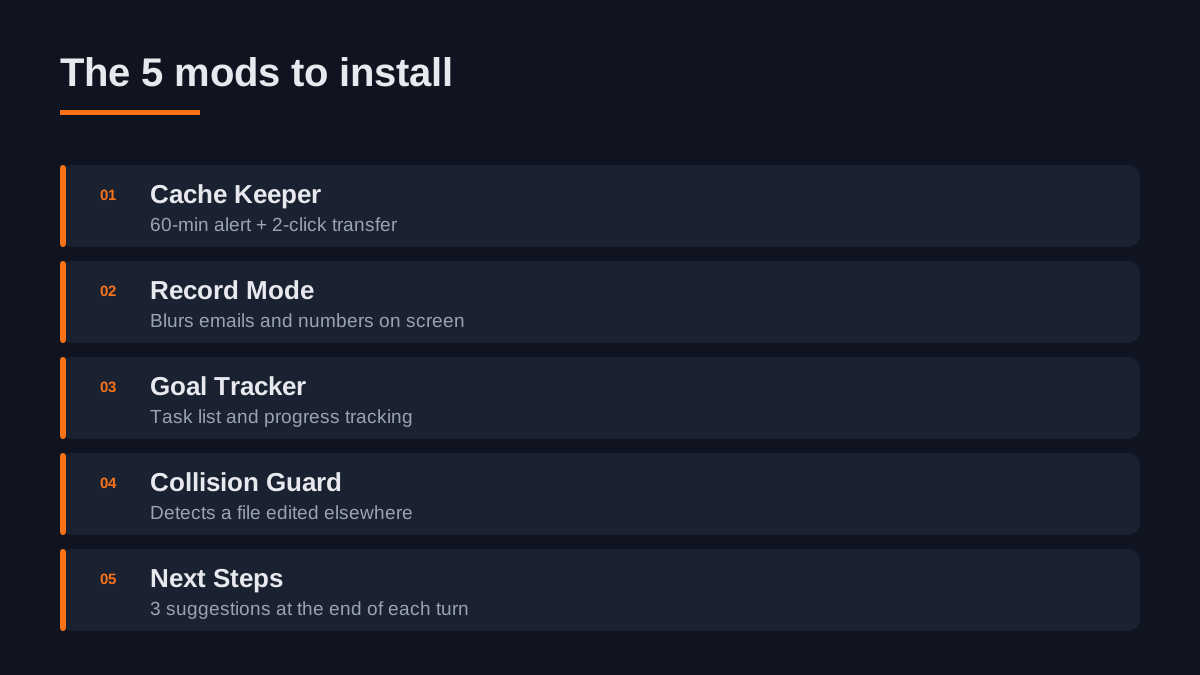
1. Cache Keeper: the 60-minute countdown
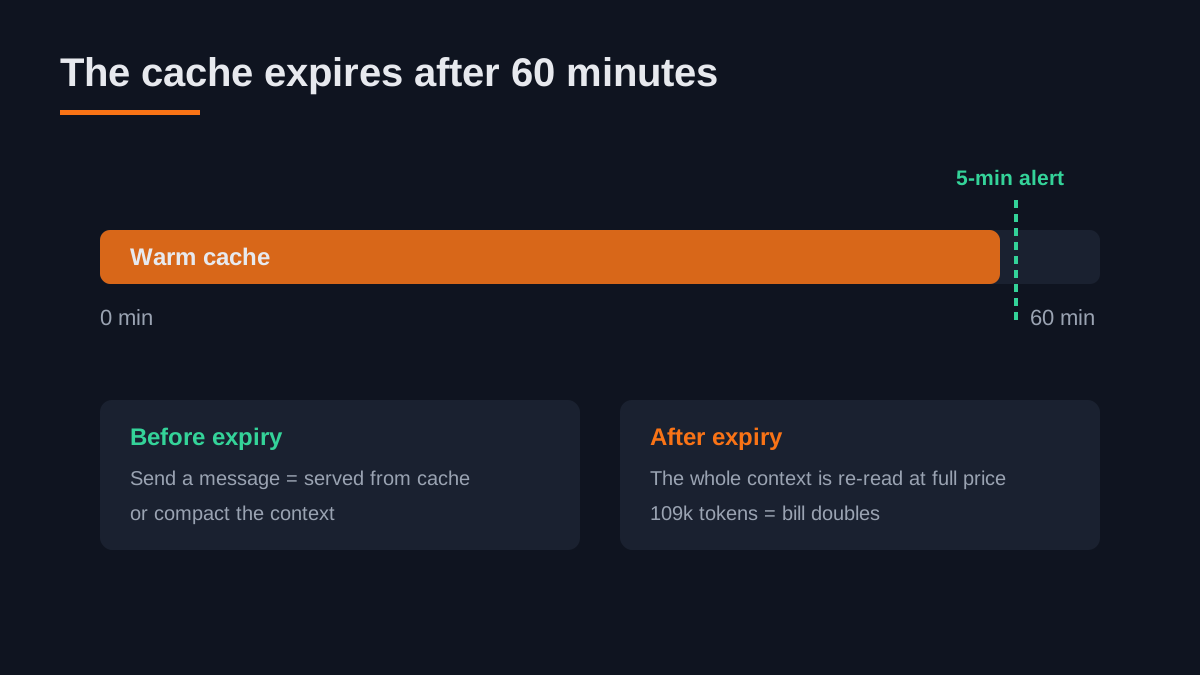
The cache is everything your conversation holds in memory. Every new message you send to the agent is not re-read at full price: it is served from the cache.
Except the cache expires. Lifetime: 60 minutes. Send nothing for an hour and you pay for the whole text again at the normal rate. The fuller your context window, the more it hurts.
What the mod puts on screen at a glance:
- Time left before the cache expires (with an alert at 5 minutes)
- Your context consumption (109,000 tokens in the example)
- Your 5-hour session limit and your weekly limit
- What the session would have cost on API billing
The detail that changes everything: a button that triggers a session transfer, then a second click that runs /clear. Before, it was copy, paste, enter. Two clicks instead of a three-step sequence.
How to use it: when the counter shows 5 minutes, send a message or compact the context. Do not let it expire. That is exactly the moment the mod notifies you so you make a choice instead of eating the bill.
2. Record mode: blur before you share
You record demos, you share your screen with a client, you capture a frame for a post. In all those cases you expose email addresses, financial data, internal information.
Record mode handles this cleanly. You type the record command, it turns on, and anything that looks like sensitive data is blurred on screen.
The test that convinced me: I ask "what is the email address linked to my GitHub account?" The agent replies: "record mode is on, I will mask real addresses on screen," and shows placeholders instead.
Second test, more telling. I paste HTML code to change a price from $29 to $39. The real numbers do go to the agent, but the display is blurred. When I open the file, the price really went from 29 to 39. The agent reads everything, the screen shows placeholders.
How to use it: type record to turn it on, record off to turn it off. Remember to switch it on before you start recording, not in the middle of it. And keep the logic straight: the display is blurred, the text is not censored. The agent keeps working on the real values.
3. Goal tracker: know where your objective stands
You launch a long prompt, a goal, a task that will run for ten minutes. You do not know how long it has been running, where it is, or what it already did.
This mod shows a dedicated interface as soon as you start an objective:
- The current objective, with elapsed time
- The status (waiting for the task plan, then running)
- The task list, checked off as it goes
- The completion percentage
- The other conversations running in parallel
On a concrete example, the agent created four tasks: find comment-recovery tools, pull comments from the last 10 videos, analyze common themes, report the top theme. You watch each box get ticked visually.
How to use it: this is the mod for you if you run several sessions at once. With a dozen objectives open, a single screen listing them all genuinely changes how you work.
4. Collision Guard: stop overwriting your files
Classic scenario: you work on a file in one conversation, open a second conversation on the same file, and the second agent overwrites the first one's work.
Collision Guard checks, before every edit, write or modification, whether the file was touched in the last 30 minutes. If it was, it asks you right in the interface: "another open conversation just modified this file, do you still want to continue?"
You can continue, move to a worktree, cancel, or type something else.
This is not a hook. A hook is a tool that blocks or acts automatically. Here the agent recognizes a situation and asks what you want. The distinction matters: you stay in control.
How to use it: you can reproduce the same behavior with a skill or a rule in your CLAUDE.md, but building it as a mod was fast, and it shows up at the right moment in the right place. If several agents run against the same repository, this one is non-negotiable.
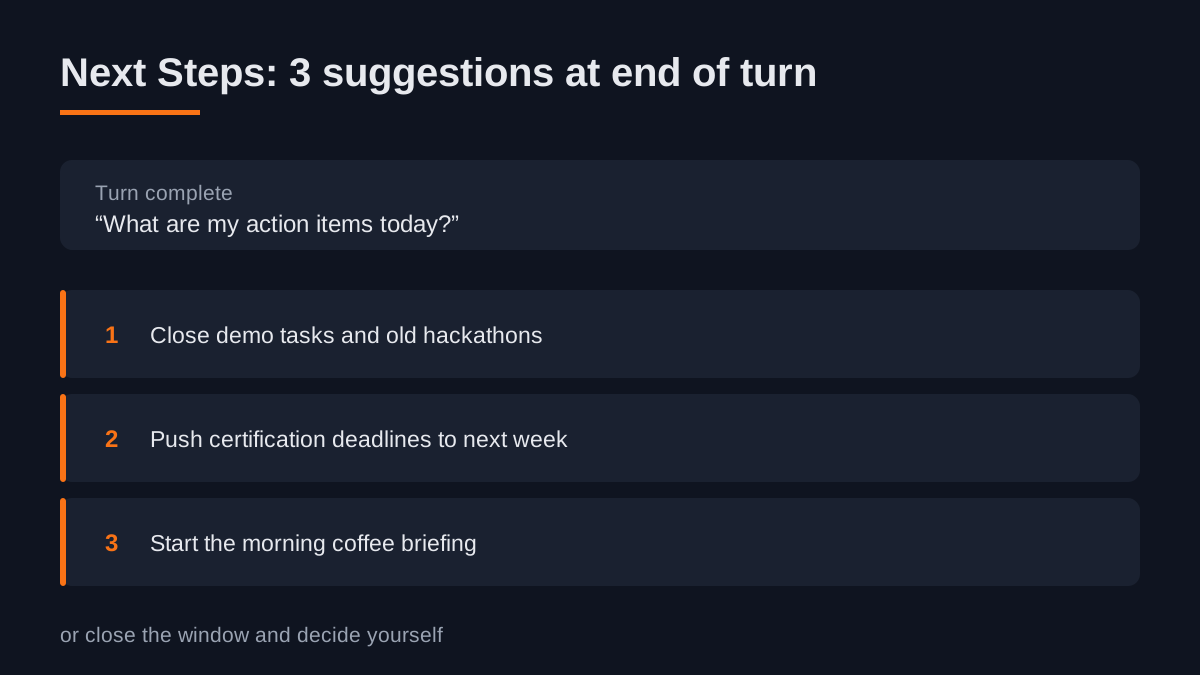
5. Next Steps: three suggestions at the end of every turn
At the end of each turn, the agent shows a small block with three suggested next moves, or lets you close the window if you would rather decide yourself.
On a request like "what are my action items today?", the suggestions land: close the demo tasks, push next week's deadlines to next week, start the morning briefing.
Where it gets genuinely useful is development. You are nudged to fix this bug first, or to merge these changes before starting something else. A guide that pulls you forward instead of leaving you at the end of a turn wondering "what now?".
How to use it: copy the mod, hand it to Claude and say "set up this mod." Thirty seconds later it appears in the same conversation as you.
FAQ: Claude Code Mods Overview
What are Claude Code mods and how do I use them?
Claude Code mods are plugins that enhance your experience in the desktop app. You can install them using the command /plugin. To create a mod, simply instruct Claude in natural language, and it builds it for you.
How does the Cache Keeper mod help with cost management?
The Cache Keeper mod tracks your conversation's memory usage and alerts you when your cache is about to expire in 60 minutes. It allows you to manage your context efficiently to avoid unnecessary costs.
What does the Record Mode mod do?
Record Mode blurs sensitive information on your screen while recording or sharing. It ensures that private data remains protected, displaying placeholders instead of real values during screen-sharing sessions.
The prompt that finds your own mods
If none of these five matches your use case, the starting point is a prompt. Hand it to your agent as-is:
"Review my session logs, understand what I do in Claude Code, what I repeat constantly, which tasks I run often, and propose the five best mods to build right now to improve my workflow, save money, work faster and stay organized."
The agent returns a list of suggestions. You do not have to follow them all. The point is to kick off a reflection on what you actually do day after day, instead of copying mods nobody needs.
The other route, even simpler: describe in natural language what you want to see, what it should look like, and let the agent build it. Once it is done, ask "how do I turn it on?" and it will tell you.
The takeaway: a mod does not make the agent smarter. It removes a friction you had stopped noticing. The cache that expires, the file that gets overwritten, the sensitive data on screen, the objective nobody tracks anymore. Five fewer frictions, five fewer bad surprises.
If you want to go further than customizing your interface and actually embed the agent into your business processes, that is exactly what the externalized AI Director offer is for. The free 45-minute audit is the starting point.
New AI term along the way?
Clear, jargon-free definitions for business leaders.
Free AI audit · 45 min
Take action: your Express AI Audit (45 min)
45 minutes with an AI expert to evaluate your operations, identify productivity gains and map your first high-ROI AI agents.
Designed for SME leaders (10 to 100 staff) · No commitment · 100% IP ownership
Weekly AI Strategy Log for Leaders
Every Saturday morning, receive our curated field notes, actual case studies, and production benchmarks. Concise, actionable, zero spam.
Fractional AI Director locations