LinkedIn social selling: the Engagr funnel in 5 steps
 Gary Bramnik
11 October 2026 · 10 min read
Contents
Monday, 7:42 a.m. My coffee is still too hot to drink and I have already approved five LinkedIn comments.
I did not write them from scratch. I read them, cut a sentence here, added one there, approved. Two minutes flat. Then I closed the tab and started my day.
Six months ago, this routine did not exist. I was spending an hour a day writing comments almost nobody saw, liking posts at random, hoping someone would eventually click on my profile.
On paper, social selling is obvious: show up on the right posts, get seen, get contacted. In practice, it is a full-time job. Nobody has an hour a day. That is exactly why we built Engagr.
Your network never sees you, and it is not its fault
Order of magnitude assumed, not study figures: a B2B post often reaches 1% to 5% of its followers, and most of your first-degree connections will never see anything from you. Your content does not die from being bad. It dies from distribution.
Comments play a different game. When you comment, you do not only appear to the author. You appear in front of their whole audience, at the exact moment it reads the replies. This is the only surface on LinkedIn where you can slip in front of a crowd that is not yours, without publishing a word on your own profile.
Scoop: the comment queue beats the long post. A sharp comment takes three minutes and is seen by dozens of the right people. A good post takes two hours, and those ten right people may not even follow you.
The catch is that commenting on ten good posts a day, staying relevant, with a different angle every time, is real work. The kind we always push to tomorrow.
The classic alternative is cold outreach: bulk invitations, copy-pasted messages, a reply rate that collapses by week two. We are not rehashing that trial here, but you know the feeling of opening LinkedIn and hitting three identical pitches. Nobody wants to be the fourth.
And when you vanish from the feed for fifteen days, nothing dramatic happens. No error message, no warning. Opportunities simply keep forming elsewhere, between two people who were visible. That is the quietest opportunity cost in this business: the one that never shows up on an invoice.
The five-step funnel, from target to first message
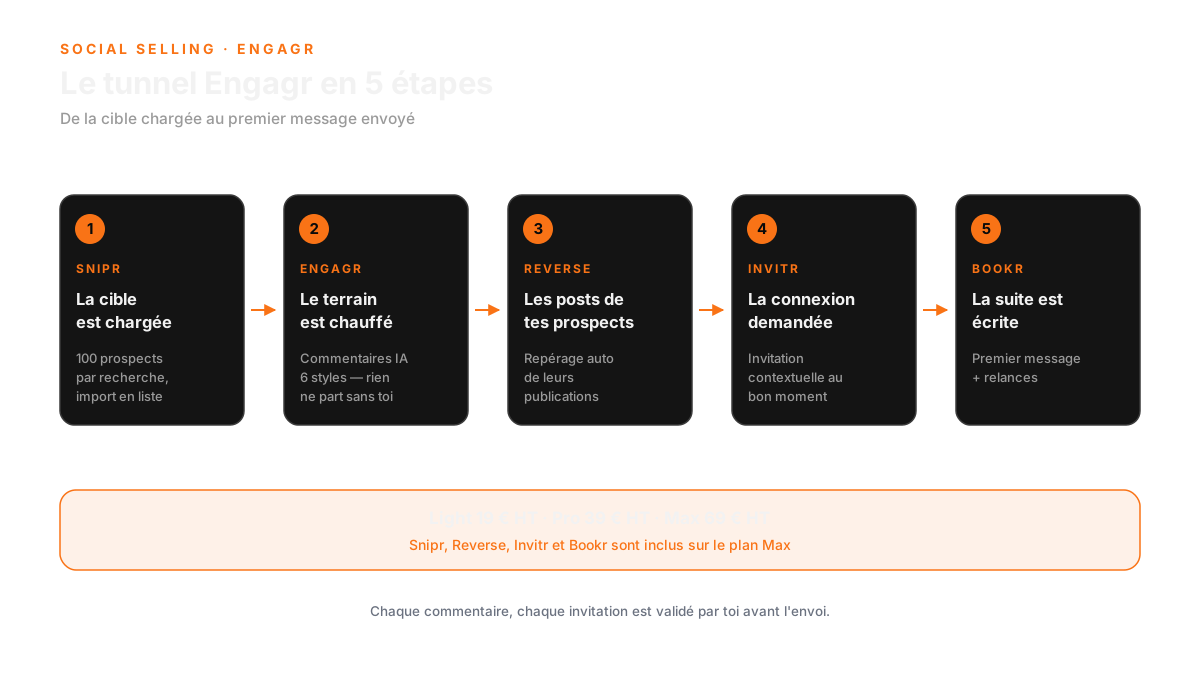
Engagr is not one more button in your extensions bar. It is a funnel in five acts: Snipr loads the target, Engagr warms things up, Reverse spots the openings, Invitr asks for the connection, Bookr prepares what comes next. Each step feeds the next one.
Step 1: Snipr loads the target
Snipr imports your target from a LinkedIn search, up to 100 prospects per search. You decide who you want to see, the tool files those profiles into a list, and the rest of the funnel works from there.
Your tip: spend ten minutes building YOUR search before importing anything. Job title, company size, industry, geography. A hundred vague profiles means a hundred people you will never talk to. A hundred sharp profiles means a month of pipeline.
Step 2: Engagr warms things up
This is the core of the product. Engagr drafts your comments in 6 opinion styles, in your own voice, and offers them straight inside a Chrome extension. You read, you edit, you approve. Nothing goes out without your say-so.
Your tip: only comment on posts under 48 hours old. Engagr enforces that freshness rule anyway. Commenting on a three-day-old post is archaeology: the author left the conversation long ago.
Second tip, the one I wish I had read earlier: vary your styles. The 6 opinion styles exist for a reason. If you always write the same thing on the same tone, people recognise you after three interventions and read you less. The Pro plan adds list segmentation and a formal/informal toggle (Tu/Vous) per contact, precisely for that.
Step 3: Reverse goes where your prospects already are
Reverse watches the posts your prospects comment on elsewhere. Instead of waiting for them to show up on your feed, you see where they are already active, and you show up on their turf.
Your tip: open Reverse before every follow-up. The last three posts a prospect commented on give you a reason to write, far more solid than the line "I saw your profile".
Step 4: Invitr asks for the connection at the right moment
Invitr sends contextual invitations. The context is whatever the previous steps accumulated: a visible comment from you, a profile visit, a piece of news you shared.
Your tip: never invite first. Comment first, get seen, then ask for the connection. An invitation that lands after two of your comments is no longer cold outreach, it is a logical continuation.
Step 5: Bookr writes what comes next, you keep the pen
Bookr takes over: first message, follow-ups, preparation of the next step. The team nicknames it "AI SDR", and that is exactly the idea: it prepares the conversation, you run it.
Your tip: for the first week, rewrite the first message by hand before sending. You calibrate what the AI proposes, and you see exactly what goes out under your name.
On the product page, the claimed setup takes 3 minutes, with AI included and no API key to provide. What matters more: "0 autopilot". Every action goes through you.
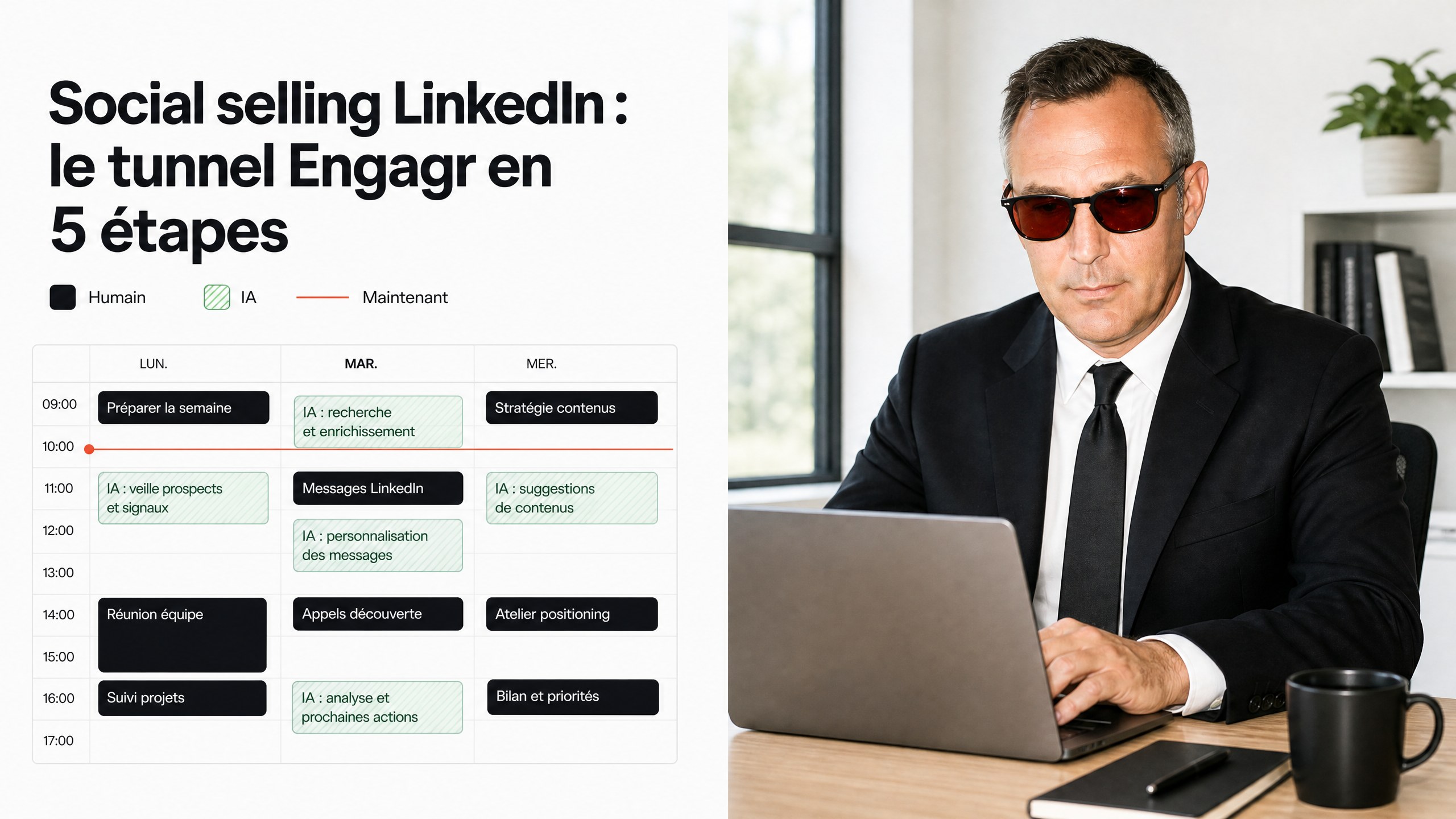
My workday, timed
So you can picture it, here is how one session runs, stopwatch on.
- 7:40, two minutes. I open the Engagr tab. Overnight drafts wait for me, one per author, each with its style. I read, cut a sentence here, add one there, approve.
- 7:42, five minutes. I check Reverse: which of my prospects commented on a post since yesterday. If a name rings a bell, I note the angle for a message later in the week.
- The rest of the day, zero minutes. Approved comments go out, profiles stay tracked, and when an invitation is accepted, Bookr already has a first message ready to be read.
Total: seven minutes in the morning, and the funnel works while you do something else.
Careful though: those seven minutes are not optional. That is the whole point of the product. The day you skip validation, you start publishing sentences that are not yours under your name, and it always shows, sooner or later.
What Engagr does, and what it honestly does not
A tool that promises everything promises nothing. Here is the honest version, no commercial rounding. The right column fits in one sentence: everything missing is announced, not buried in the fine print. That is also why I publish it, even though it sells less than the left one.
| What Engagr does | What Engagr does not do |
|---|---|
| AI comments in your voice, with 6 opinion styles | Publish posts for you (content is another subject, and another tool) |
| Author tracking: 50 on Light, unlimited on Pro | Run on autopilot: nothing goes out without your approval |
| Target import of up to 100 prospects per search (Snipr) | Email or WhatsApp prospecting: Engagr is a LinkedIn tool |
| Detection of the posts your prospects comment on (Reverse) | Unlimited comments on Light: 10 per day, 200 per month |
| Contextual invitations (Invitr) and first message with follow-ups (Bookr) | Reply for you once the conversation is open |
| AI included, Chrome extension, custom lists | Track more than 150 profiles with Snipr (the Max plan ceiling) |
That last line of the right column is not a hidden flaw, it is the published ceiling. I would rather have a tool that says "this far" than one that lets you believe in infinity.
Pricing, no hidden option
Three plans, monthly, cancellable any time, 20 % VAT on top. The detail that changes everything: only the Max plan opens the full funnel.
| Plan | Price | What changes |
|---|---|---|
| Light | 19 € excl. VAT/month | 50 tracked authors, 10 AI comments per day (200 per month), 6 styles, Chrome extension, custom lists, 14-day free trial |
| Pro | 39 € excl. VAT/month | Unlimited tracked authors and comments per day, list segmentation, formal/informal (Tu/Vous) mode per contact |
| Max | 69 € excl. VAT/month | Everything in Pro + Snipr (150 prospects), Reverse, Invitr, Bookr, 20 free Boostrs per month, REST API v1 and MCP server |
Scoop: the footnote on the landing page advertises a "7 days on the Starter plan" trial. That plan does not exist among the three cards, and the Light card clearly says 14 days. I would rather tell you than leave the confusion lying around.
Max subscribers can add Asset Factory add-ons if they want visuals: Boost S at 19 € excl. VAT/month, Boost M at 49 € excl. VAT/month (the popular one), Boost L at 99 € excl. VAT/month. Stripe payment, cancel whenever you like.
A word about the calculation everyone runs in silence. At 39 € excl. VAT per month, the Pro plan gives you unlimited comments and unlimited tracked authors. In practice, the only limit of that plan is how much time you decide to spend on it. No credits to reload, no action billed per unit, no surprise tier the day you finally sit down in front of LinkedIn regularly.
The right plan depends on your rhythm. You want to test the commenting mechanic: Light is enough. You comment every day and want the ceiling removed: Pro. You want the whole funnel, from targeting to first message: Max, and at 69 € it is the only plan that offers it.
One last point on commitment, because that is often where it stalls. Cancel any time, Stripe payment, nothing locked in. You move up a plan when your pace changes, you move down when it slows. A SaaS subscription that keeps you hostage deserves to be unplugged, period.
FAQ: understanding the Engagr funnel
What is the Engagr funnel and how does it work?
The Engagr funnel is a five-step process designed to convert LinkedIn signals into sales conversations. It includes Snipr for loading targets, Engagr for warming up interactions, Reverse for monitoring prospects' activities, Invitr for sending connection requests, and Bookr for drafting messages.
How can I ensure my comments are effective on LinkedIn?
To make your comments effective, focus on posts that are less than 48 hours old, use Engagr to draft comments in various styles, and engage with posts relevant to your prospects. This increases visibility and encourages responses.
What should I do if my LinkedIn posts aren't getting seen?
If your posts aren't getting seen, consider shifting your strategy to commenting on others' posts. Comments can reach a wider audience and are more effective for visibility than relying solely on your own posts.
The question that decides it: who presses the button?
Every prospecting tool automates something. The real question is what stays in your hands.
On Engagr, the answer fits in three words: 0 autopilot. You approve every comment, every invitation, every message. That is not a marketing safety feature, it is the only way to keep your voice and your credibility intact. A comment published without you is a comment that does not sound like you, and one day it shows.
If you want to see what it does on your own ground, start with our free audit: 45 minutes to find where your network is losing conversations. After that, the full funnel lives in our lab, and everything is detailed on engagr.fr.
An hour a day spent commenting into the void is a choice. Two minutes each morning approving five comments that land is also a choice.
The second one shows up in your pipeline.