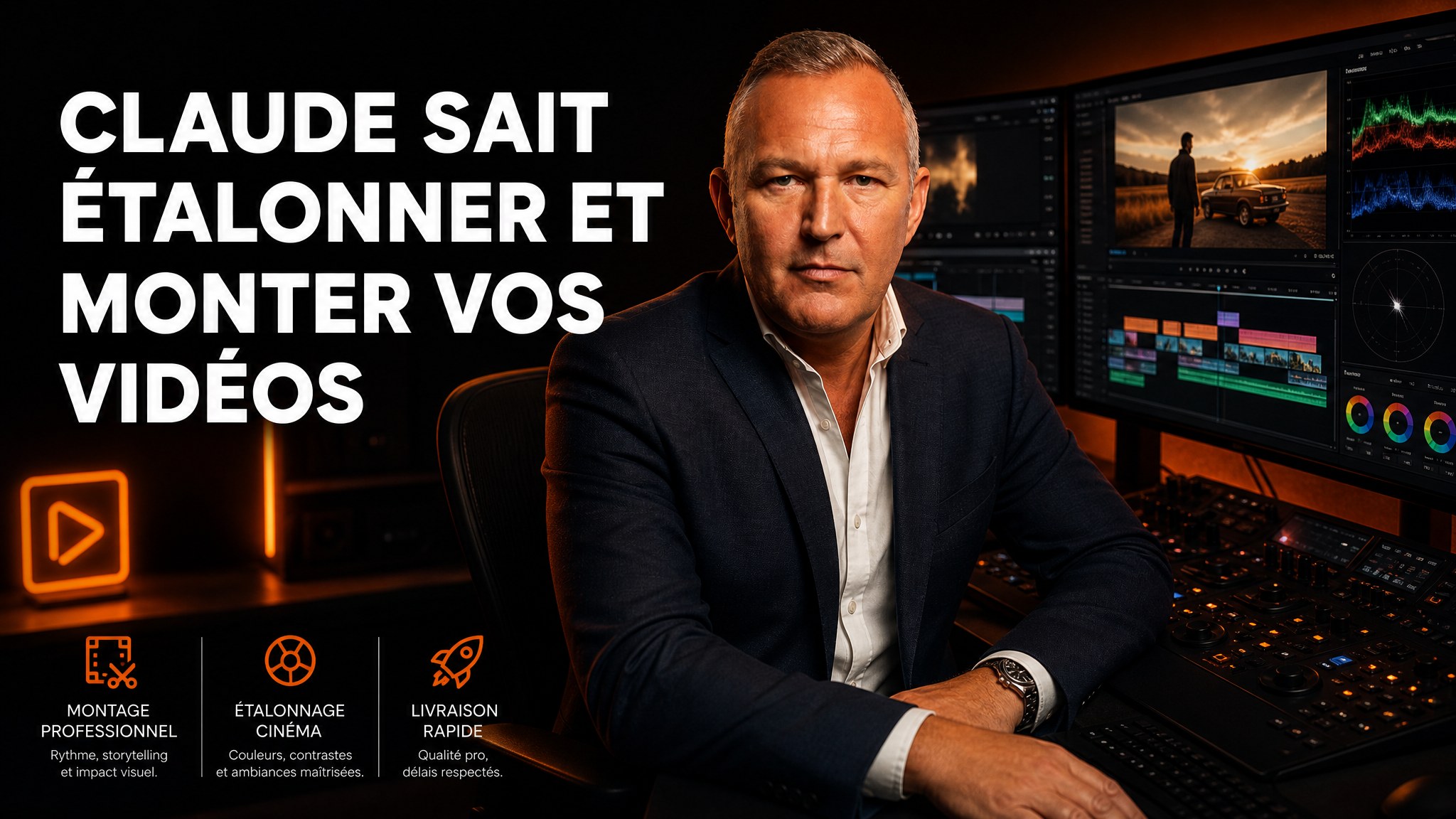
Claude Can Color Grade and Edit Your Videos

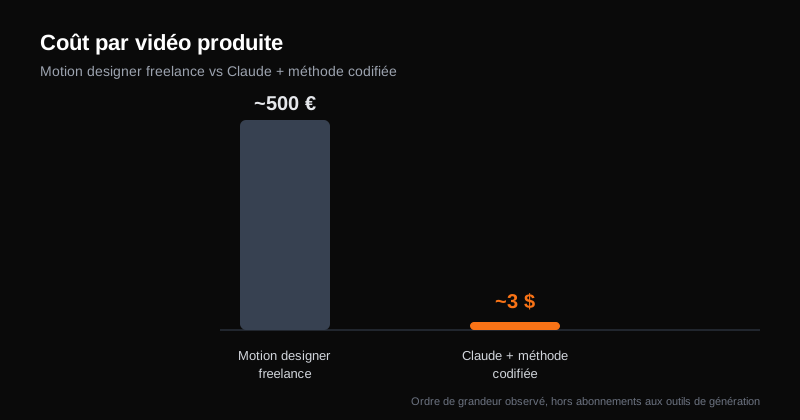
A decent freelance motion designer charges between 300 and 800 euros per video. For a LinkedIn feed that needs a new visual every week, that turns into a five-figure budget per year fast.
We tested the same output with Claude. Cost per animation, edited and color graded: between 2 and 5 dollars. No quote, no three-day turnaround, no back-and-forth emails over a shade of blue.
The difference isn't the model's raw power. It's the method.
The problem isn't Claude, it's how you talk to it
Most people who get ugly AI visual output all make the same mistake: they treat Claude like a chatbot.
One sentence, one result, keep it or bin it. No visual reference, no explicit criteria, no system to build on what worked last time.
That works for a one-off answer. It doesn't work for producing consistent visual content week after week, with a brand identity that actually holds.
The method that changes everything comes down to three levels: color grading, generated and edited video, and transitions. Each one relies on the same principle. Find a design that works, understand why it works, then codify that understanding so you can reuse it on demand.
Level 1: color grading without a colorist
Color grading a video used to mean downloading dozens of LUTs, comparing them, adjusting by hand. Half a day of work for an average result.
Claude can now analyze a shot and identify each zone of the image separately: skin tones, shadows, foliage, windows. It then proposes targeted corrections and explains each choice.
On one real test, the analysis produced this: removed the stray green cast, recalibrated skin tones toward a natural look, recovered highlights on the window side, lifted the blacks off the floor to open up the frame. All with an intensity slider to dial in the effect.
How to do it: give Claude a video clip and ask it to identify each color zone separately (skin, shadows, sky, foliage), then propose three grading variants with an explanation for each correction. Keep the one that fits your brand, adjust the intensity, and explicitly ask it to remember the recipe for your next videos.
Level 2: animated B-roll for two dollars a generation
This is where it gets interesting for a small business producing marketing content every week.
The principle: an AI video generation tool (Higgsfield, Kling, Runway, doesn't matter which one, they all connect to Claude in a few minutes) generates the raw shots. Claude then handles the editing, particle effects, transitions between shots, and color harmonization across the whole sequence.
Observed cost for one complete, ready-to-post animation: about two dollars. Not two dollars an hour of labor. Two dollars, full stop.
But there's a trap. Asking Claude directly to "make me a nice video" produces a generic, flat result, what's now called AI slop: that recognizable-at-a-glance AI aesthetic that reeks of stock footage.
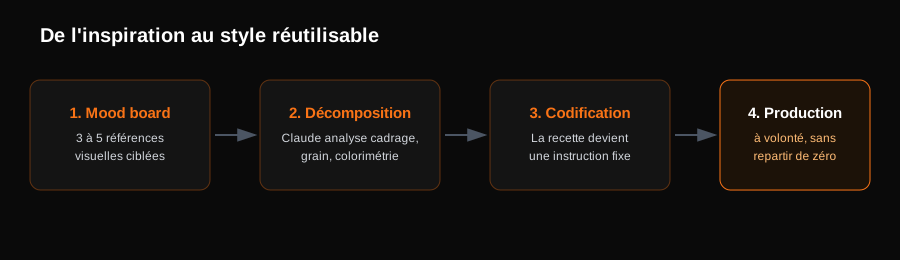
The three-step method
-
Build a mood board. Find three to five designs or animations you genuinely like, on Pinterest, Behance, or motion-inspiration sites. The goal isn't to copy, it's to define a precise creative direction.
-
Have Claude break down the style. Feed it the references and ask for a detailed analysis: framing, focal point, grain, the rhythm of image flickers, the color logic. Ask the right questions, "why does this shot work visually", to get usable answers instead of generalities.
-
Codify the recipe into a reusable instruction. Once Claude has identified what makes the style effective, one instruction is enough: "Turn this analysis into a reusable instruction for all my future edits." The result becomes a stable checklist, not an improvisation you redo every time.
On one style-reproduction test, the analysis surfaced precise rules. One single grade for the entire sequence. Green always sits above red in the highlights. Shadows stay deep and clean. A grain layer covers every cut to smooth the transitions.
Once those rules are written down, they apply to any new project, without redoing the analysis from scratch.
Level 3: transitions, Claude's honest limit
Not everything is magic. Asking Claude to invent an original transition from scratch today gives a decent result, rarely an impressive one.
The right approach: source existing transition assets (light leak libraries, film burns, grain effects) and let Claude handle the part it's genuinely good at, which is automatically spotting cut points in a video and applying the right transition at the right spot.
In practice: you import a rough cut, Claude scans the cuts, suggests where to place each transition, and executes. What used to take hours of manual scrubbing becomes a task of a few minutes.
What actually changes: stop improvising, start codifying
The real lever here isn't a specific tool. It's the underlying principle. Every time a visual result works, it becomes a reusable instruction instead of a lucky break you hope to reproduce.
At AI French Touch, that's exactly what we apply to our own content pipeline. The script that generates this blog's cover images, for instance, never starts from scratch. It encodes a precise recipe (framing, staging, color treatment) and a rotation logic to avoid visual repetition. Result: a consistent visual identity across dozens of articles, without going through a designer for every single post.
It's the same logic behind our videos built with Remotion. Once a scene template is validated, it becomes reusable for any new production, without starting from zero.
Comparison table: freelance motion designer versus codified Claude
| Criterion | Freelance motion designer | Claude with codified method |
|---|---|---|
| Cost per video | 300 to 800 euros | 2 to 5 dollars |
| Delivery time | 3 to 10 days | A few minutes |
| Consistency over time | Depends on the freelancer's availability | Recipe set once, reusable indefinitely |
| Iterating on a shade | Back and forth by email | Instant, same session |
| Learning curve | None, full delegation | An initial calibration phase is needed |
The three mistakes that produce AI slop
1. Treating Claude like a chatbot
A vague prompt gives a vague result. Without a precise visual reference, the model defaults to a generic aesthetic that's recognizable from a mile away.
2. Skipping the mood board step
Without a clear creative direction upfront, every generation drifts in a different direction. It becomes impossible to hold a brand identity over time.
3. Never capitalizing on what works
Redoing the analysis for every new video throws away the previous work. The real time savings come from codifying it into a reusable instruction, not from the generation step itself.
Conclusion
The difference between content that looks thrown together and content that looks professional is no longer a question of production budget. It's a question of method.
Finding a good design, understanding why it works, codifying that understanding: that's what separates a small business that produces visual content every week without effort from one that keeps pushing its LinkedIn video to next month, again.
Build this kind of video pipeline with an Externalized AI Direction
Codifying a reusable motion design method takes testing, failing, adjusting, until you land on a stable recipe. That's exactly the kind of project we set up as part of our Externalized AI Direction:
- Auditing your visual content needs (social media, website, sales decks) and picking the right video and image generation tools.
- Building a codified video pipeline that fits your brand, reusable without starting from scratch for every post.
- Training your team to run this pipeline independently, without depending on an outside contractor for every shoot.
Take action: your Express AI Audit (45 min)
45 minutes with an AI expert to evaluate your operations, identify productivity gains and map your first high-ROI AI agents.
Designed for SME leaders (10 to 100 staff) · No commitment · 100% IP ownership
Deploy AI Agents in your SME with an External CAIO
Get an outsourced AI Director 1 to 10 days per month to audit, automate your workflows and train your teams.
Stay ahead of AI Innovations
Every week, get a curated selection of our latest articles, case studies, and actionable AI insights directly in your inbox. No spam, 100% value.
Fractional AI Director locations