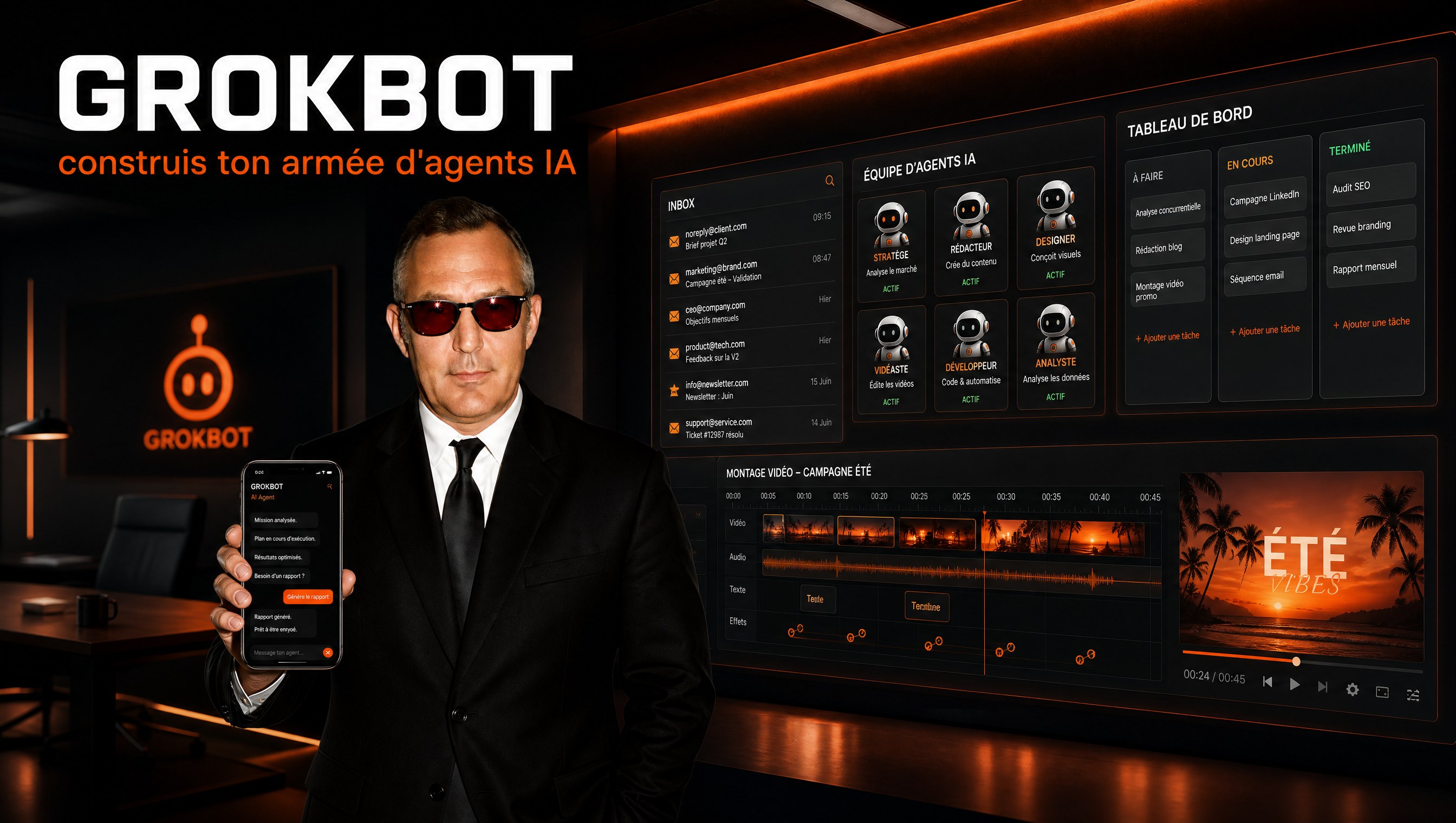
Build Your Agentic OS: The ARMS Framework Explained

The models pulled ahead. Claude 5, GPT-5.6, DeepSeek V4: agents have never been this capable. Yet most setups are still stuck in 2024: a few saved prompts, a messy project folder, zero system.
The difference between an agent that saves you 14 hours a week and a gadget that burns your quota isn't the model. It's the architecture around it. People who actually get results from these tools don't "chat" with Claude: they built it a complete operating system, with its own skills, memory, scheduled tasks, and connections to the apps that run the business.
This framework exists, it's documented, and it fits in one word: ARMS. Applications, Routines, Memory, Skills. Here's how it works, and how to set it up without writing a single line of code.
The dashboard is just the tip
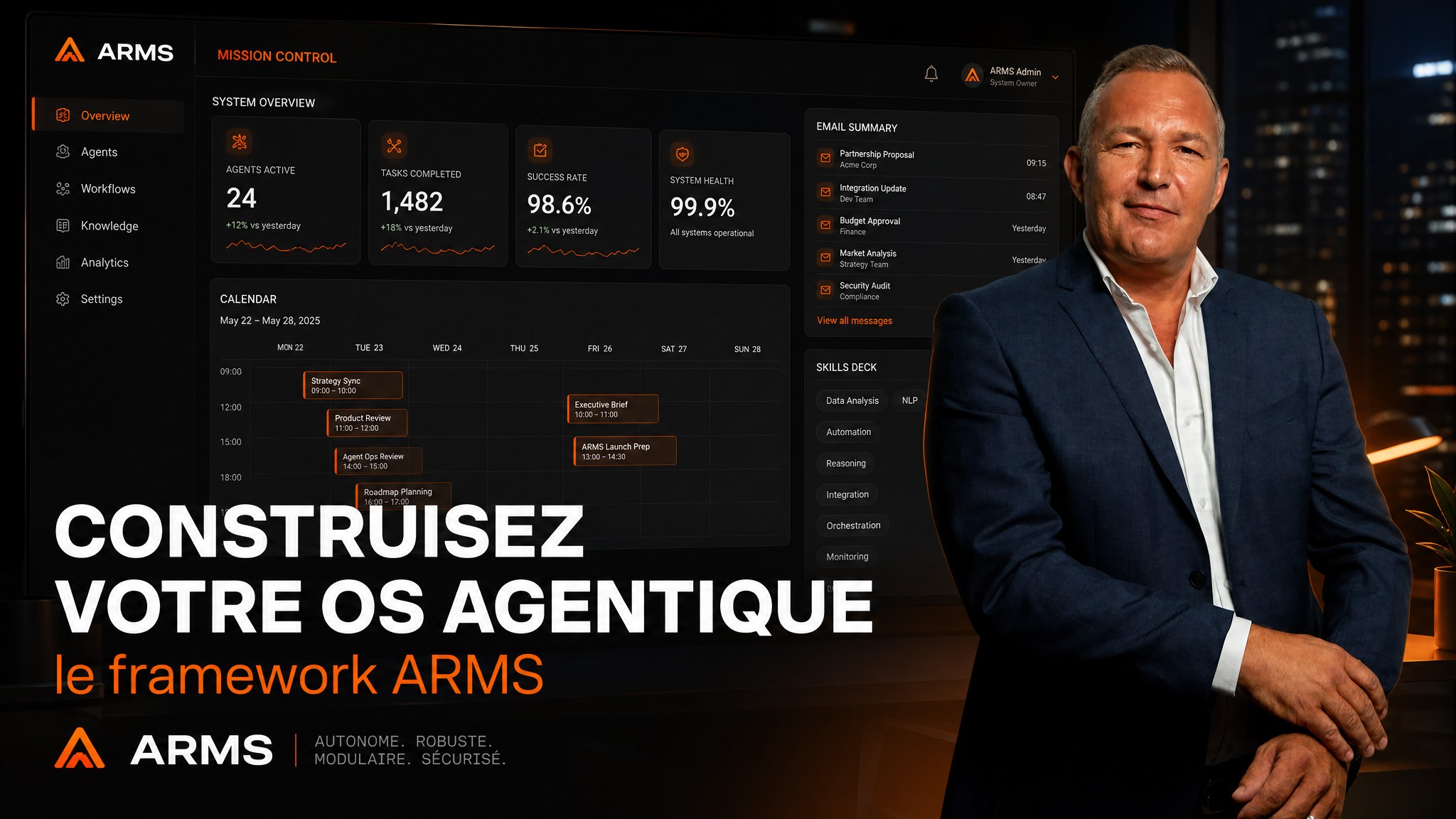
Start with the visuals, because that's what sells the dream: a personal command center. One screen showing your calendar, the emails your agent flagged as urgent, your homegrown micro-apps, your scheduled tasks, and a skills deck you can fire with one click, with model and effort level adjustable per run.
It's elegant, practical, and it has become the daily homepage of those who built it. Some even sell it: financial services firms pay for their own customized version.
But here's the number that matters: that dashboard represents only 20 to 30% of the system's value. The remaining 70% is invisible. It lives in how your workspace is organized so the agent can find everything on its own, without burning your credits searching.
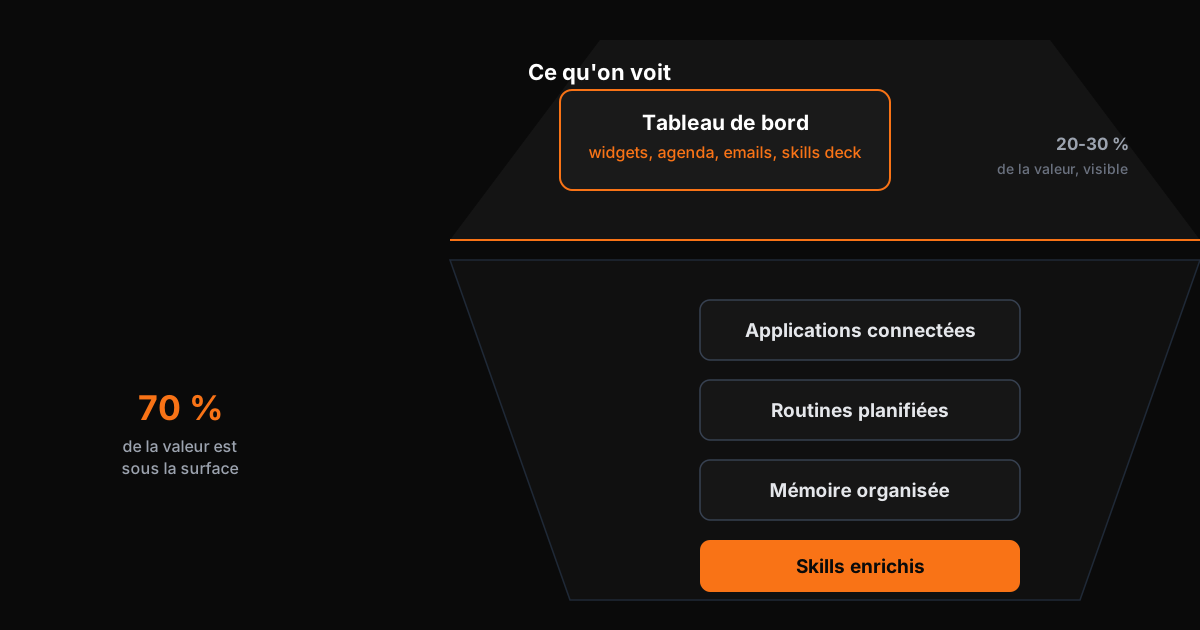
A dashboard without architecture underneath is a storefront in front of a warehouse in chaos. So we go down into the iceberg, and we do it the way power users do: bottom up. Skills first, then memory, then routines, then applications.
Pillar 1: skills, your agent's gestures
A skill is the industrialized version of a prompt you use often. The trigger rule is simple: if you catch yourself typing the same instruction twice, it deserves a skill.
Three levels of maturity.
Level 1: use and create. Everything starts with the skills shipped by Anthropic in the desktop app, including the famous skill creator. That one builds the others. You come across a good practice somewhere, an optimization tip, an internal procedure: paste the text, invoke skill creator, and the agent builds the skill for you. In minutes, knowledge buried in a feed becomes a repeatable gesture.
Level 2: enrich. This is where most users stop, and it's a shame. A powerful skill is not just a markdown file. The main file acts as a router to reference documents: brand guidelines, deliverable samples, product data, writing rules. One content team stores its entire brand identity in its design skill's references and produces perfectly branded PDF guides from one or two instructions. The richer your skill's references, the less you have to re-explain everything each time.
Level 3: run outside the chat. Last step: launch a skill without opening a session. A command line tool, claude -p, sends a one-shot instruction to the agent with your chosen model and effort level, returns the result, closes. This mechanism lets you wire a skill into a dashboard button or an internal tool for your team. Your agent becomes a callable function, not a conversation.
Pillar 2: memory, organized for the machine
Second pillar, the one that determines the speed of everything else.
At first, a workspace is just a folder with files. Fine. Then months pass: contexts, deliverables, notes, exports. One user discovered 60,000 files in his work folder the day he finally mapped it. At that scale, the agent takes longer to retrieve information and eats through your subscription searching pointlessly.
The reflex inherited from Windows and Mac would be to sort into folders and rename everything carefully. Failing grade: your agent doesn't navigate like you do. It reads files at lightning speed, but it needs to know where to look.
The answer comes down to one concept: router files.
At the root, a master file describes the major departments of your business: content, sales, operations, finance. Each department gets its own router file listing the relevant skills and reference documents. When you ask about anything content-related, the agent reads the router, instantly knows which handful of files matter, and ignores the other 59,900.
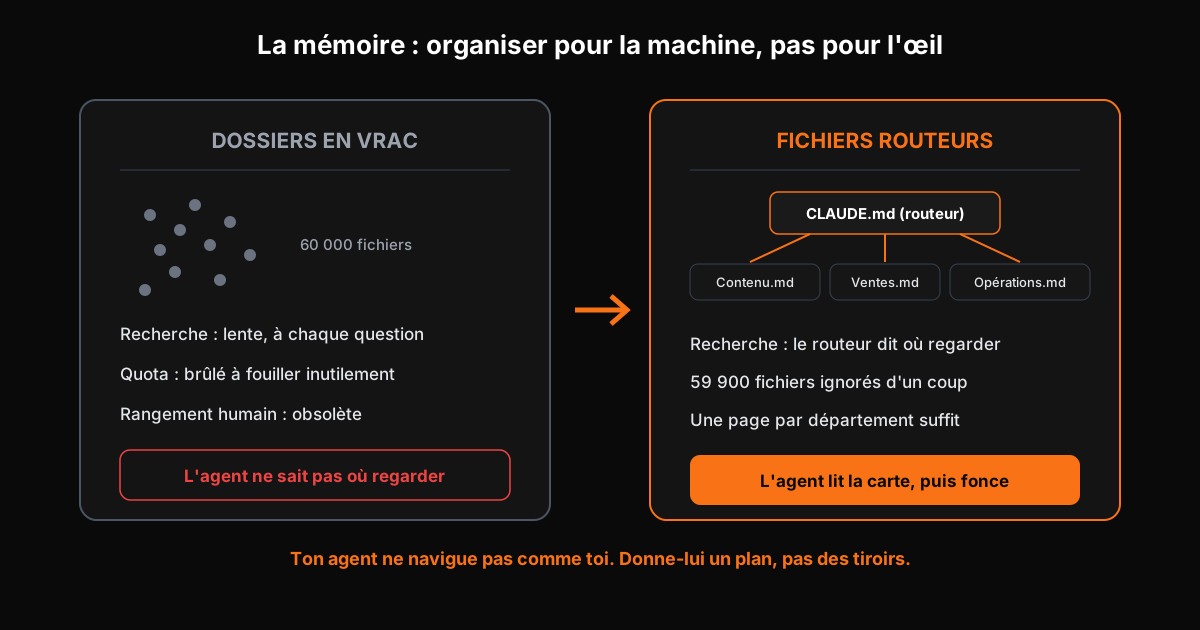
You're no longer organizing for the human eye; you're organizing for machine reading. And once the system grows, some add a visual layer: an interactive map showing how files connect, searchable, clickable. Not essential to start. Formidable for finding your way around.
Pillar 3: routines, the agent that works while you sleep
A routine is a prompt the agent sends itself at a fixed time. This is where the tool becomes a collaborator.
Level 1: native. The desktop app includes a natural language scheduler. Concrete example: every morning at 8, the agent checks whether a new video went live on the channel, turns it into a newsletter in the author's tone of voice, and drops the draft into the system. When you wake up, all that's left is to review and tweak. Most of the work is done, at roughly 80% editorial compliance.
The level 1 limit is physical: local routines only run while your computer is on. Laptop closed, agent asleep.
Level 2: the cloud. The logical next step is giving your agent its own always-on machine. Dedicated solutions exist, some free and open source, others priced steeply. The technical question that blocks most people: how does my cloud agent access my local skills and memory? Answer: SyncThing, a free open source sync tool that mirrors your workspace onto the agent's machine. Your files change, its copy changes, its routines always run on your latest versions.
Level 3: all-in-one. The emerging trend: installing the agentic environment directly on a virtual private server. No more dual installation, no more syncing, routines that never die. Platforms will likely ship this natively soon. Meanwhile, power users rig it themselves.
Pillar 4: applications, wiring the agent into reality
An agent cut off from your apps is an editor-in-chief with no access to the newsroom. The final pillar connects it to your CRM, your email, your business tools.
Level 1: the catalog. The desktop app offers a list of official connectors you can activate in two clicks. It's the front door, but also the least complete option.
Level 2: let the agent search. Connectors come in three flavors: official, command-line interfaces, or community MCP servers. Rather than googling yourself, ask the agent: "find out if a connector exists for this tool." It scans the web, compares options, recommends the best one, verifies it's safe, and installs it. Real example: no official connection exists for Adobe Premiere; the agent found a trustworthy open source repo and set it up within the session.
Level 3: build your own bricks. For tools with no connector at all, generators exist: describe the application, the framework produces the connector. Users hook up their niche tools, their community platform, their fitness app this way. And nothing stops you from going further and building your own micro-apps: a grid of every image generation, a landing pad for your diagrams, small internal tools. Each brick makes the system more yours.
Where to start this week
Order matters: each step makes the next one easier.
- Install skill creator and build your first skill. Take the instruction you repeat most. Two occurrences are enough.
- Write your router file. One page: your departments, and under each, the list of files and skills that count.
- Schedule one useful routine. A repetitive weekly task the agent prepares overnight.
- Connect one application. Just one. The one where your customer data lives.
- Measure. Before: time spent on the task. After: review time. That's all.
What this changes for an SMB
Look at what this assembled system produces: standardized competencies, a memory that improves with use, tasks that execute overnight, and direct connections to business tools. That's no longer a chat assistant. That's a digital employee with an organized workstation.
That's exactly the difference between "I have a Claude account" and "I have a system". The first category pays a subscription. The second gets entire days back every month.
My job is installing this kind of system in SMBs: the architecture, the business-specific skills, the routines running in production, and the training so your teams take ownership. A free 45-minute audit is enough to map where you stand and what an agentic OS would concretely change in your week. Most companies discover they're using less than 10% of what they already pay for.
See also the AI glossary
Take action: your Express AI Audit (45 min)
45 minutes with an AI expert to evaluate your operations, identify productivity gains and map your first high-ROI AI agents.
Designed for SME leaders (10 to 100 staff) · No commitment · 100% IP ownership
Deploy AI Agents in your SME with an External CAIO
Get an outsourced AI Director 1 to 10 days per month to audit, automate your workflows and train your teams.
Stay ahead of AI Innovations
Every week, get a curated selection of our latest articles, case studies, and actionable AI insights directly in your inbox. No spam, 100% value.
Fractional AI Director locations