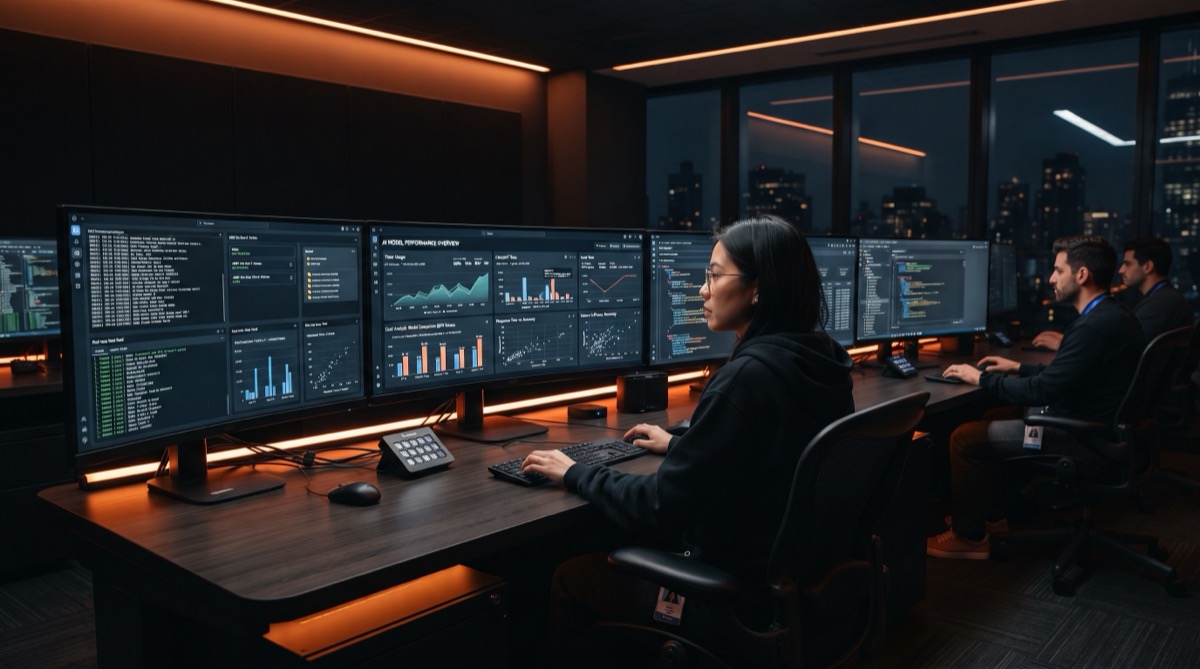
Which AI to run locally in 2026: practical guide for B2B SMEs


In 2026, the question is no longer "should we use AI?". The real question is: which part of AI should run locally to stay fast, compliant, and profitable.
This guide is inspired by top market research and adapted for practical B2B execution: deploy useful local AI in less than one day, without an R&D team.
Why local AI is accelerating in 2026
- Better privacy for sensitive customer data
- Stable latency for daily operations
- Lower token dependency on repetitive tasks
- More resilience when cloud providers are unavailable
Local AI does not replace cloud AI. It becomes your default execution layer, while cloud remains your premium backup for harder tasks.
RAM and VRAM: the matrix that prevents wrong purchases
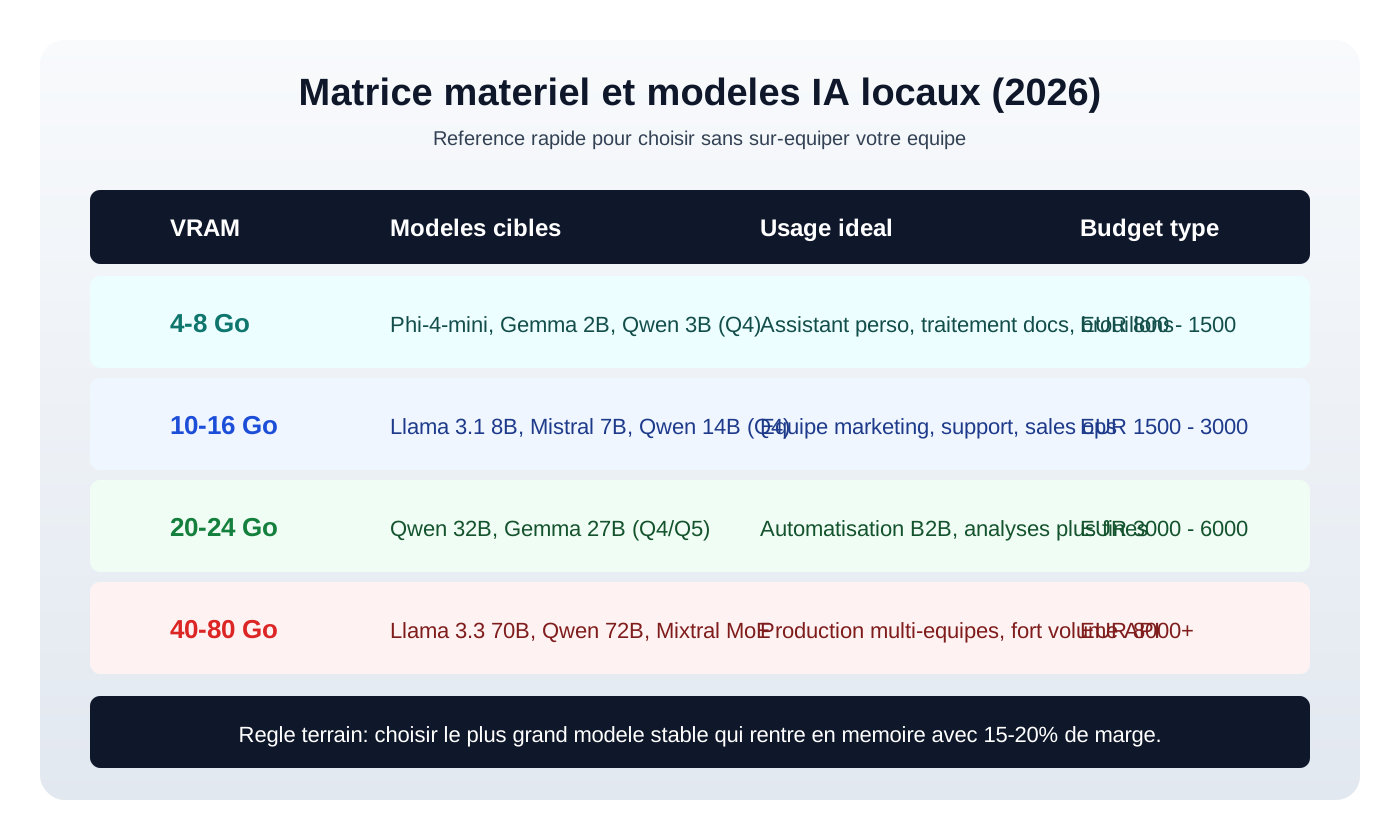
| Machine profile | Target models | Main usage |
|---|---|---|
| 8GB RAM / integrated GPU | Phi-4-mini, Qwen 3B | Summaries and lightweight extraction |
| 16GB RAM + 8-12GB VRAM | Llama 3.1 8B, Mistral 7B | Daily sales ops and drafting |
| 32GB RAM + 16-24GB VRAM | Qwen 14B to 32B | Stronger analysis and team copilot |
| 64GB+ RAM + 40GB+ VRAM | Llama 70B, Qwen 72B | Heavy production workloads |
Rule of thumb: use the largest stable model that fits with at least 15-20% memory headroom.
Tooling: Ollama, LM Studio, llama.cpp, vLLM
| Tool | Best for | Direct link |
|---|---|---|
| Ollama | Dev and local API automation | https://ollama.com |
| LM Studio | Non-technical desktop usage | https://lmstudio.ai |
| llama.cpp | Low-level optimization control | https://github.com/ggml-org/llama.cpp |
| vLLM | Multi-user production serving | https://vllm.ai |
| Open WebUI | Internal chat interface on top of Ollama/vLLM | https://openwebui.com |
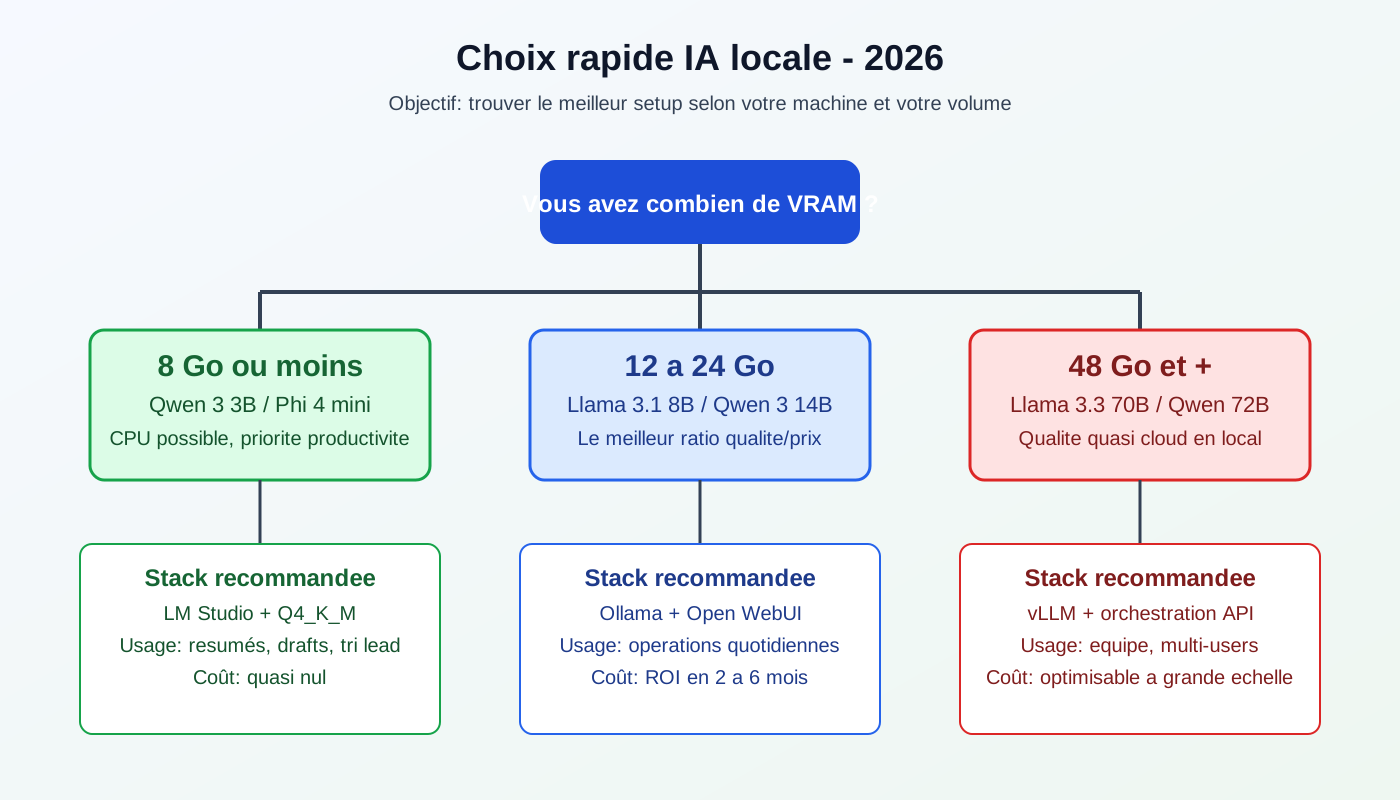
Recommended rollout: start with Ollama + Open WebUI, then move to vLLM when user load grows.
Quantization in one minute: Q4, Q5, Q8
- Q4: best default tradeoff
- Q5: more stable on sensitive business tasks
- Q8: higher fidelity when memory allows
Optimize in this order: model size first, quantization second.
Local vs cloud: when is local worth it?
| Daily volume | Recommended strategy |
|---|---|
| Low | Cloud first |
| Medium | Hybrid: local for routine, cloud for complex tasks |
| High | Local first with cloud fallback |
The right choice is operational: pick the setup that shortens your idea -> execution cycle time.
30-minute launch plan
- Check RAM/VRAM capacity
- Install Ollama and run a first 7B model
- Connect Open WebUI for team usage
- Test 3 real workflows
- Set a policy: local by default, cloud by exception
Final take
Local AI in 2026 is not a hobby move. It is a governance, margin, and execution-speed decision.
Start small, measure fast, then standardize. Most gains appear when local AI becomes a team process, not an isolated experiment.
Master local AI and data sovereignty with an Externalized AI Direction
Running AI models locally is the ultimate way to combine absolute data privacy, zero API costs, and tech independence.
With our Externalized AI Direction, we guide you through this transition:
- Selecting and deploying local models tuned to your specific business tasks.
- Configuring hybrid architectures (local for sensitive data, cloud for massive compute).
- Training your technical team to maintain and upgrade these models internally.
🎁 Access the 1000 Skills Hub
Get our operational workflows to connect local AI, CRM, n8n, and sales outreach.