Deploy an LLM Wiki in 5 minutes with Claude Code + Obsidian

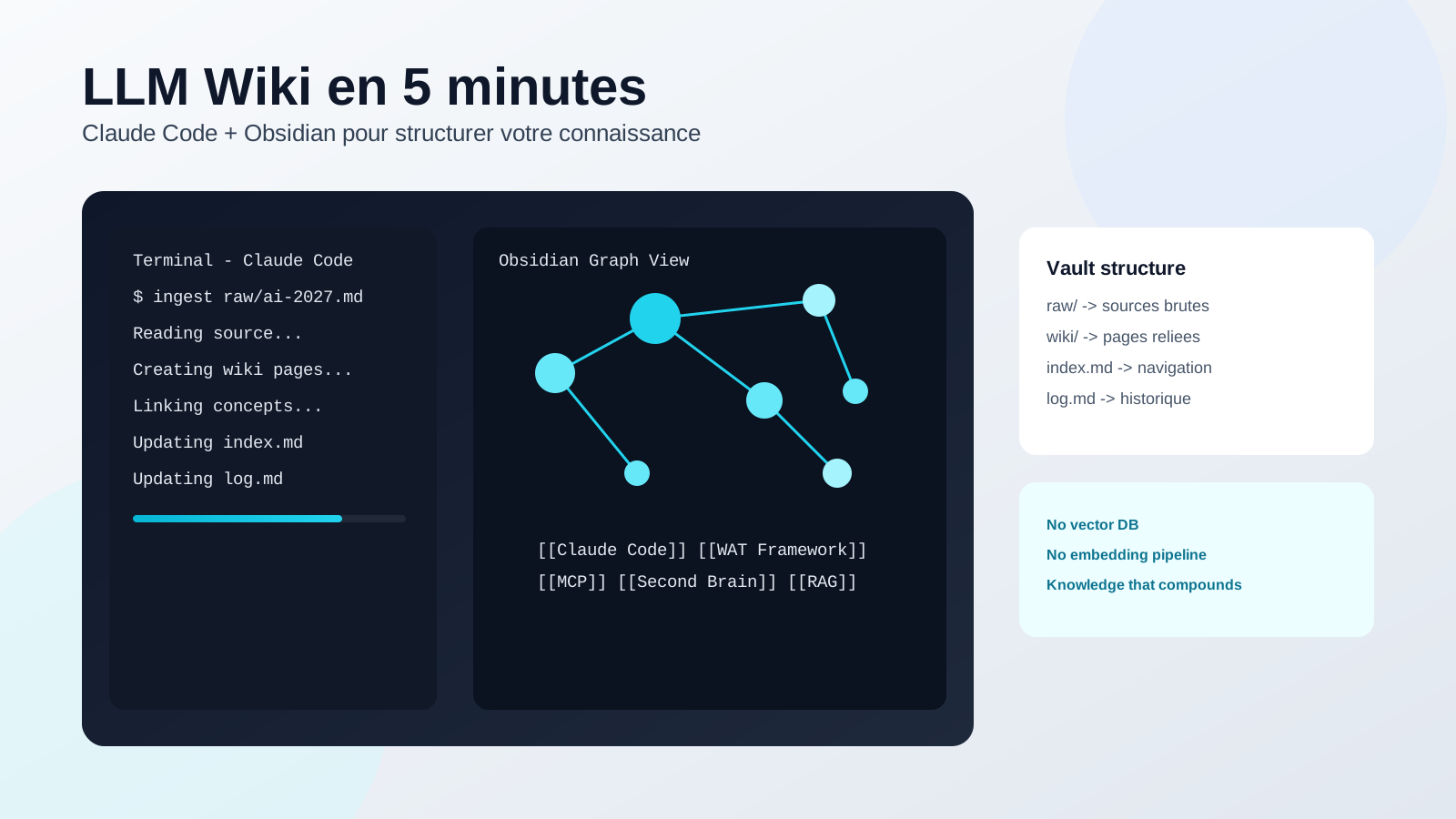
Traditional AI chats forget context between sessions. The LLM Wiki method does the opposite: it compounds knowledge over time using simple markdown files and explicit backlinks.
The pattern comes from Andrej Karpathy (ex-Tesla, ex-OpenAI) who published it as a GitHub gist. Rather than classic RAG where the LLM re-derives knowledge on every query, the LLM Wiki builds a persistent, compounding artifact.
Three-layer architecture
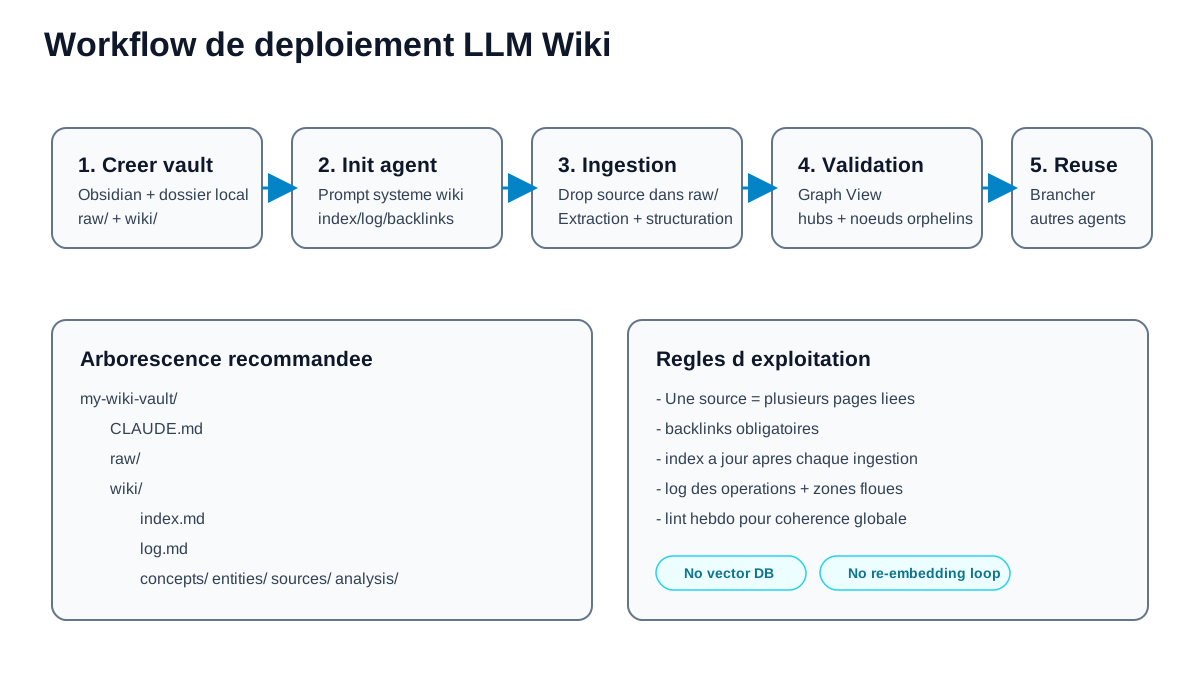
my-wiki-vault/
  CLAUDE.md          ← the schema: tells the LLM how to operate the wiki
  raw/               ← immutable sources (articles, transcripts, PDFs)
  wiki/
    index.md         ← content-oriented catalog, updated on every ingest
    log.md           ← append-only chronological journal
    concepts/
    entities/
    sources/
    analysis/
- raw/, your curated sources, immutable. The LLM reads but never modifies.
- wiki/, fully owned by the LLM. It creates pages, updates them, maintains cross-references.
- CLAUDE.md (schema), the key configuration file. Defines structure, conventions, and ingest/query/lint workflows.
What makes this a game-changer
- No vector DB to deploy
- No embedding pipeline to maintain
- Readable, versionable markdown files, free git history and branching
- Fast navigation via backlinks and Obsidian Graph View
- Knowledge is compiled once and kept current, not re-derived on every query
6-step deployment
1. Create a new Obsidian vault. Open it in Claude Code.
2. Configure CLAUDE.md. This is the core piece, it turns Claude Code from a generic chatbot into a disciplined wiki maintainer. Copy-paste this template directly into your agent:
You are my LLM Wiki agent.

Architecture:
- raw/ : immutable sources you read but never modify
- wiki/ : you create and maintain all pages
- wiki/index.md : catalog of all pages (update on every ingest)
- wiki/log.md : append-only log (format: ## [YYYY-MM-DD] operation | title)

Available operations:
- INGEST: read a source, extract key info, create/update 10-15 wiki pages, update index + log
- QUERY: read index.md, identify relevant pages, synthesize answer with citations
- LINT: check for contradictions, orphan pages, missing links, stale claims

Conventions:
- Each wiki page starts with YAML frontmatter (tags, date, source_count)
- Backlinks are explicit: [[PageName]]
- Contradictions are flagged with their source and date
- Valuable answers are filed back into the wiki as new pages
3. Drop a source into raw/ and ingest. A single ingest can touch 10-15 wiki pages. Stay involved, read the summaries, guide the LLM on what to emphasize.
4. Validate connections in Graph View. Identify hubs and orphan nodes.
5. Run periodic lint passes. Ask the LLM to health-check for contradictions, stale claims, orphan pages, and missing cross-references. Ask it to suggest new sources to investigate.
6. Point other agents to the wiki. In any other assistant's CLAUDE.md, specify the wiki path and the reading rule: index first, then targeted pages.
Obsidian tips & configuration
- Obsidian Web Clipper, browser extension that converts web articles to markdown. Perfect for feeding
raw/quickly without copy-pasting. - Download images locally, in Settings → Files and links, set an "Attachment folder path" (e.g.
raw/assets/). Bind a hotkey to "Download attachments for current file". The LLM can then view and reference images directly. - Graph View, best way to visualize wiki structure: hubs, orphans, thematic clusters.
- Marp, Obsidian plugin for markdown-based slide generation. The LLM can build presentations directly from wiki content.
- Dataview, plugin that queries YAML frontmatter. If the LLM adds metadata (tags, dates, source_count), Dataview generates dynamic tables.
- qmd, local markdown search engine with BM25/vector + LLM re-ranking. Useful once the wiki grows beyond a few hundred pages where the index file alone isn't enough.
- Git, the wiki is just a markdown repo. History, branching, and collaboration come for free.
LLM Wiki vs classic RAG
LLM Wiki is faster to set up and easier to maintain at small-to-mid scale. Classic RAG still wins at very large document volume. Rule of thumb: up to a few hundred well-structured documents, LLM Wiki usually delivers the best speed-to-value ratio.
Source
This pattern comes from Andrej Karpathy's gist: LLM Wiki, gist.github.com/karpathy. The document is intentionally abstract, designed to be shared directly with your LLM agent to co-build your specific implementation.
Final take
If your goal is fast execution with persistent memory and readable structure, LLM Wiki is one of the highest-leverage systems you can deploy this week.
Capitalize on your company knowledge with an Externalized AI Direction
An LLM Wiki transforms scattered company knowledge into an active memory system used by your team and AI agents.
Through our Externalized AI Direction, we structure your intellectual capital:
- Organizing internal knowledge bases and technical documentation.
- Connecting your corporate Wiki to autonomous agents for internal Q&A automation.
- Guiding your team to adopt knowledge management workflows in their daily routine.
🎁 Access the 1000 Skills Hub
Get ready-to-run workflows to structure knowledge and speed up your GTM operations.